I’ll start with the part that sounds a little less exciting than the product page: most people do not use all 10 speeds on the KitchenAid Artisan 10-speed stand mixer.
Not because the mixer is missing something. Mostly because real baking just does not work that way.
After enough time around home bakers—and a few years watching how mixers get used in busier kitchens too—you notice the same pattern. People love the idea of more speed options. It sounds precise. It sounds professional.
But once flour is in the bowl and butter is halfway creamed, nobody is standing there admiring the number of settings. You start low so ingredients stay in the bowl, move up when the mixture can handle it, and usually stay somewhere in the middle until the job is done.
That is why the more interesting question is not whether the KitchenAid Artisan 10-speed stand mixer has 10 speeds. It is whether those 10 speeds actually change the way you bake—or whether a few of them quietly do most of the work while the rest are just there to give you a little more control when you need it.
What the 10 Speeds Are Supposed to Do
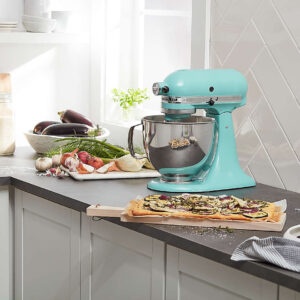 On paper, the speed range is meant to give you control.
Lower speeds for folding and incorporating. Medium speeds for mixing and creaming. Higher speeds for whipping and aeration. That’s the idea, and it’s a good one.
In a perfect world, you would use:
- Speed 1–2 to gently combine ingredients
- Speed 3–5 for batters and doughs
- Speed 6–8 for whipping and emulsifying
- Speed 9–10 for maximum aeration
Technically, all ten speeds have a purpose. But that’s not how most people actually cook.
What Happens in a Real Kitchen
Let me walk you through what this looks like when you’re not thinking about numbers.
You start low—because nobody wants flour exploding all over the counter. You bump it up once things are combined. You stay somewhere in the middle until it looks right.
That’s it.
Most of the time, you’re moving between a small handful of speeds, not all ten. You don’t stop and think, “this is exactly speed 4 territory.” You adjust based on texture, not a dial.
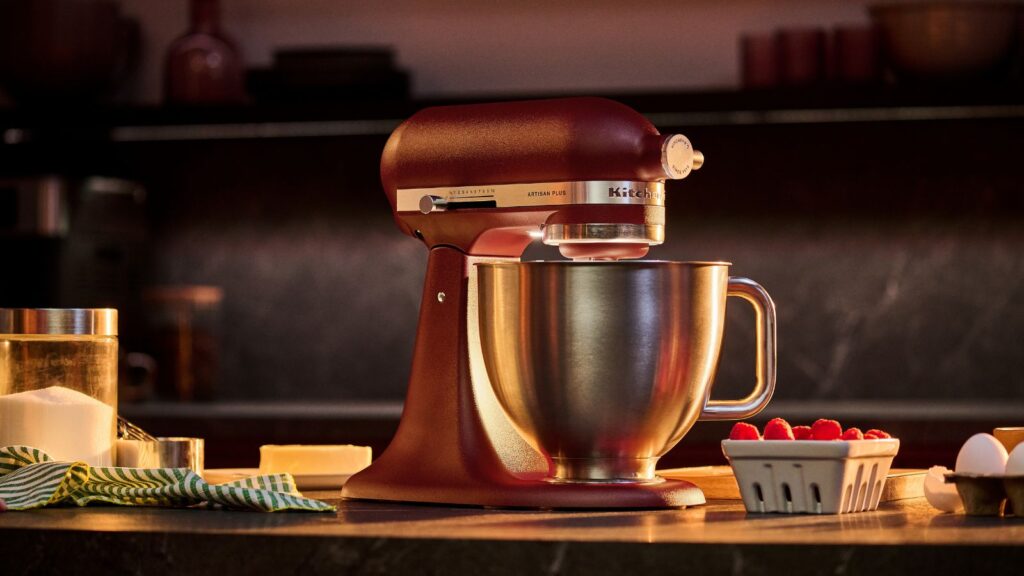
KitchenAid Artisan 10-speed stand mixer
That’s something people don’t always realize before buying. The value of the 10-speed system isn’t that you’ll use every setting. It’s that you have the ability to fine-tune without thinking too hard about it.
It’s less about precision, more about flexibility.
The Speeds You’ll Actually Use (Most of the Time)
If I’m being honest about how this mixer gets used in a normal home kitchen, it usually comes down to about four “zones” rather than ten distinct speeds.
Low (Speed 1–2): The “Don’t Make a Mess” Zone
This is where everything starts. Flour, cocoa powder, powdered sugar—anything light enough to go airborne lives here.
You’re not mixing yet. You’re containing.
If you skip this step and jump straight to medium speed, you will regret it. Everyone does at least once.
Medium-Low (Speed 3–4): The “Bring It Together” Zone
This is where ingredients actually start becoming something.
Cookie dough, cake batter, even mashed potatoes—this is where you spend a lot of your time. It’s steady, controlled, and doesn’t stress the machine.
Most home baking happens here.
Medium (Speed 5–6): The “Do the Work” Zone
This is where the mixer feels like it’s actually working.
Creaming butter and sugar. Thick batters. Early stages of whipping. It’s strong enough to move things quickly, but not so aggressive that you lose control.
If someone told me they only ever used one range of speeds, this would be it.
High (Speed 7–10): The “Use Sparingly” Zone
This is where expectations tend to get a little unrealistic.
Yes, the mixer can go this fast. But you don’t stay here long.
Whipped cream, egg whites, maybe finishing a frosting—that’s where these speeds shine. But for most recipes, especially anything thick, high speed is either unnecessary or slightly risky.
You can overmix faster than you think up here.
Where People Get It Wrong
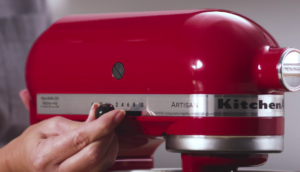
KitchenAid Artisan Speed Settings
The biggest misunderstanding is assuming more speeds automatically means better performance.
It doesn’t.
What matters more is how smoothly the mixer transitions between speeds, how stable it feels, and how predictable the mixing action is. The Artisan does that well. It doesn’t jump or jerk when you adjust the dial. It feels controlled.
But having 10 speeds doesn’t mean you should use all 10 regularly. In fact, trying to use every setting “because it’s there” is one of the fastest ways to overcomplicate your cooking.
The second mistake is thinking higher speed = better results.
In baking, that’s rarely true.
Higher speeds can incorporate more air, but they can also break structure, overwork gluten, or throw off texture. Knowing when to stop is more important than knowing how fast the machine can go.
Why 10 Speeds Still Matter
So if you don’t use all of them, why have them?
Because the gaps between speeds are smaller.
That’s the real advantage.
Instead of jumping from “too slow” to “too fast,” you can ease your way into the right mixing speed. It gives you more control without forcing you to think about it too much.
It’s like having more gears in a car. You don’t use every gear all the time, but having them makes the drive smoother.
What This Means for Buying Decisions
If you’re choosing a KitchenAid Artisan 10-speed stand mixer because you think you’ll actively use all ten speeds, that’s probably not the right reason.
If you’re choosing it because you want a mixer that feels flexible, forgiving, and easy to adjust as you go, that makes more sense.
The 10-speed system is less about complexity and more about comfort. It lets you work intuitively instead of precisely.
And that’s a better fit for how most people actually cook.
How the 10-Speed System Feels on Artisan vs Artisan Mini
On paper, both the standard KitchenAid Artisan tilt-head stand mixer and the smaller Artisan Mini come with the same headline feature: a 10-speed control system designed to handle everything from gentle mixing to high-speed whipping.
So it’s easy to assume they behave the same.
They don’t. Not quite.
The speed settings themselves are technically identical—low speeds for folding and incorporating, mid-range for mixing and creaming, higher speeds for whipping and aeration. But how those speeds feel in use is a little different once you factor in size, weight, and motor behavior.
Standard Artisan: More Stable Across the Range
On the full-size Artisan, the 10 speeds feel more “anchored.” The mixer has more weight, a larger footprint, and a bit more presence on the counter, so when you move up through the speeds, everything feels controlled and steady.
At medium speeds—where most baking actually happens—it tends to feel especially comfortable. The machine isn’t straining, and the bowl has enough room that ingredients move naturally without crowding.
Even at higher speeds, the mixer usually feels planted. You’re aware of the power, but not in a way that makes you cautious.
Artisan Mini: Same Speeds, Smaller Margin
The Artisan Mini uses the same 10-speed concept, but the experience is a little tighter.
Because the machine is smaller and lighter, you feel the transitions more. When you increase speed, it feels a bit more immediate—sometimes even slightly more aggressive than you expect from the same number on the dial.
That doesn’t mean it’s less capable. It just means there’s less “buffer.”
At lower and mid speeds, it behaves very similarly to the full-size model. But once you move into higher speeds or thicker mixtures, you’re more aware that you’re working with a compact machine. The margin for error—overmixing, splashing, or pushing the motor—is slightly smaller.
Where the Difference Actually Shows Up
In everyday use, the difference isn’t about whether the speeds exist—it’s about how forgiving they feel.
- The standard Artisan feels more stable when you’re not paying close attention
- The Mini feels a bit more sensitive, especially as speed increases
- Both cover the same tasks, but one gives you more breathing room
This becomes noticeable in situations like:
- whipping at higher speeds (Mini feels faster, more reactive)
- mixing thicker dough (Artisan feels more comfortable holding speed)
- larger batches (Artisan maintains consistency more easily)
The Real Takeaway
The important thing is this: the 10-speed system works well on both machines, but it doesn’t behave identically.
The standard Artisan uses those speeds to feel steady and forgiving. The Mini uses them to stay flexible within a smaller, tighter range.
So it’s not really about “which one has better speeds.” It’s about how much control you want to feel—and how much margin you prefer while you’re using it.
Same dial. Slightly different experience.
KitchenAid Isn’t the Only Brand Doing This
Part of the confusion around the KitchenAid Artisan 10-speed stand mixer is that “10 speeds” sounds unusually advanced, even though it really is not that unusual once you look around the category.
KitchenAid gives the Artisan 10 speeds, which is a comfortable middle ground for a general-purpose home mixer. But Cuisinart’s Precision Master 5.5-quart stand mixer goes up to 12 speeds, and some Hamilton Beach models do too, while more basic Hamilton Beach mixers often stay at 6 speeds instead. In other words, the number itself is not what makes the Artisan special. The more interesting question is how usable those speeds feel in an actual kitchen.
That is why I would be careful about treating speed count like a quality ranking. More speeds can give you finer control, yes, but they do not automatically make one mixer better than another. A well-spaced 10-speed system that feels intuitive in daily baking is usually more valuable than a longer dial you barely touch.
If you’re still weighing how much those extra speeds actually matter, it helps to look at how other brands approach the same idea. This KitchenAid vs Cuisinart stand mixer comparison breaks down how speed count, power, and real-world usability differ between the two—and why more speeds don’t always translate to better results.
One Last Thought (From a Working Kitchen Perspective)
In a professional kitchen, you don’t think in numbers. You think in textures.
You look at the batter. You listen to the mixer. You feel how the dough is coming together.
The KitchenAid Artisan gives you the control to respond to those things—but it doesn’t require you to use every option it offers.
So no, you don’t need all 10 speeds.
But having them makes it easier to land exactly where you need to be, without overthinking it.
And in a real kitchen, that’s what actually matters.
If you want the official version of when each speed is supposed to come into play, KitchenAid’s own stand mixer speed guide is worth checking—it’s actually pretty close to the way most experienced bakers end up using the machine in a real kitchen.
